Real News
Unlink Guide
If you no longer want to receive emails from the Real News skill, just follow this guide to unlink our skill from the Login with Amazon authentication service, and we will no longer have access to your email.
If you unlink your account, we do not retain any personally identifiable information.
Step 1
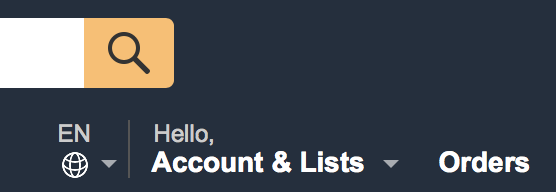
On the Amazon.com homepage, click on the Account and Lists link at the top right of the page, or alternatively the Your Account link from the accounts dropdown menu.
Step 2
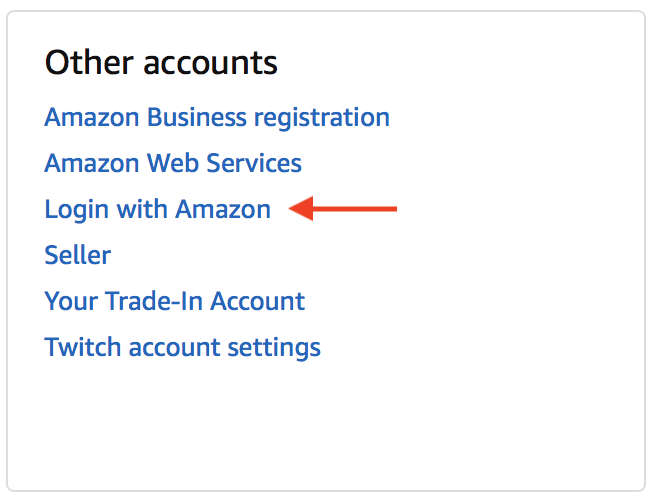
On your account page, find the last box in the middle column labeled Other accounts and click on Login with Amazon. This may require you to enter your Amazon password.
Step 3
On the Manage Login with Amazon page, scroll down until you find the Real News App box, then click the Remove button. Your Amazon account is now unlinked from our skill, and you will no longer receive emails.

Receiving Emails Again
If you ever want to receive emails again, just ask the Real News skill to send an article to your email, and Alexa will send you a card to re-link your Amazon account.